
How to Report Web Forgery or Spam Website to Google

Written by Pavan Kumar on January 24, 2009

Advertisements

Just a few days back, there were a lot of fake orkut login pages created. The reason / script / site / person behind all those fake orkut pages is unknown, but it becomes responsibility of each internet user to help authorities ban such sites to safeguard internet users. Here we shall discuss how we can report such pages to Google. As Google is an un thorned emperor of internet, reporting to Google will help you solve the issue to some better extent. The fact is no one can remove the page you host on your domain and your server, but people can be warned in case the site is harmful or browser security or DNS can block websites which are harmful, also they may be deindexed from search engines.

1. Report Web Forgery in Firefox:

report scam site to Google through firefoxI guess, regular readers here are all firefox users, though not sure as visitor stats say more number of users browsing on crap software ;-) . Let us see how to do it in firefox. If you encounter any such suspected web forgery / spam / fake / forged / fraud / phishing / harmful / scam sites, click on Help. In the drop down list you get, click Report Web Forgery. You will be driven to a page where you can report for phishing websites / scam sites. In this case, the url will be filled automatically and you just need to enter the captcha and optionally you can add comments to help the Google Safe Browsing team. Your identity will be anonymous according to Google privacy policies.
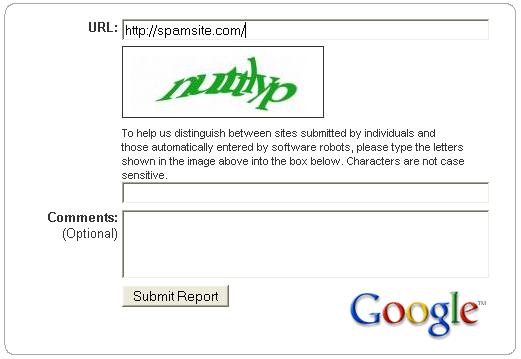
report suspected web forgery to google

Don’t think this way you can easily defeat your competitor by marking him as spam, such reports will be moderated by the team and sites will not be simply added to web forgery list when someone reports.

2. Other browsers:

I know there are more number of users who browse internet on their mobile phones or other handhelds. Even web users on computers too use different browsers like Chrome, Opera, Safari, Flock…  or also the windows bundled rubbish to surf the internet. You can directly access the Report Phishing page here [http://www.google.com/safebrowsing/report_phish/]. Its recommended for you to use Firefox.
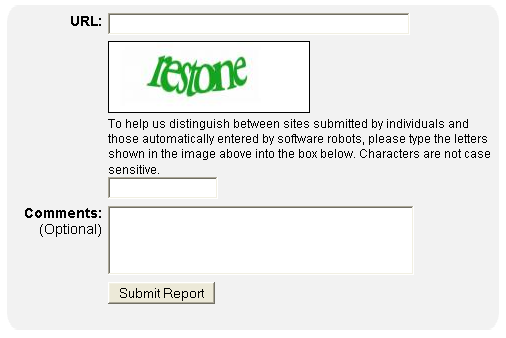
Report phishing sites to google

Subscribe to RSS Feed or Get updates on your inbox:

People who liked this also read:

7 Readers responded to this post

It will be good that users browsing should know thses features provided in Firefox ,so that if they find a phishing site they should inform to Google Directly or through reporting web frogery from help button in Firefox.The more the people aware of this info the better for them to aviod sentiive information loss to these sites,reporting as phishing sites will also help other people to browse these sites again .

@venkat

Yes, users should be aware of all these things. The orkut fake pages were spread in a viral way :-(

This is nice piece of information. I get almost 5 forgery mails daily. Now I can at least report them.
thanks for the Pavan.

Google ’s list HAS been used by competitors and disgruntled users to block sites. I find it very disconcerting that Google are so quick to add sites to their list but are slow, if not reluctant, to remove them.

Could you please to inform me this website and e-mail attached is forgery or not

info@swibergrouplimited.com

http://www.swibergrouplimited.com/

Just by looking at a website one cannot firmly decide if it is a spam or not. Looking at the website you have provided, what I can say is that the site is still new and has no value as a website. May be the company behind is a big one, but the site has no value as of current.

Also, I don’t see any spammy things there. I cannot say that the mail id cannot spam you. Many of the brands use email marketing as one of the ways to spam you and hence you might have got spams from them. Such questions cannot be answered with confidence.

If you strongly believe this website as forged one, you can report them to Google.

I see that they have copied a vast content from http://www.hyde-engineering.com/ which is bad if they both are same or the former have got rights from latter.

I placed an order online for a camera to SHOPHIVE (www.shophive.com), an online shopping portal basrd in Lhr, on 25th August 2009.
I was promptly replied by the shophive people; they confirmed the availability of the item and asked me to deposit the money (Rs. 13990) through bank transfer. Same amount was transferred to their account

Next day I called Shophive and was told camera would be dispatched by TCS and I would receive it within a day.
On 28th August, 3 days after booking, no deliveries were made and when contacted Shophive, I was told that camera was shipped through AMS Couriers, a lesser known company. I called the courier office and I was told that they do not deliver, I have to pick up the parcel. On the same day I picked the parcel from AMS Couriers, Rawalpindi.
When I opened the parcel, the camera and battery were missing from the parcel. I immediately called Shophive and later sent them an email.
I contacted the CEO Shophive, Arslan Nazir and he said that they are investigating the matter and camera was erroneously sent through this unknown company. I bought the story and asked for the next step. I was offered 25-30% off if I still want to get another one. I was also asked to send the box back as they would use it for further investigations and filing a case against the couriers. I sent them the pack through TCS on 4th Sep 2009.

After lot of correspondence with Shophive CEO over weeks, through which he was hesitant to reply I agreed conditionally to book another one and get 30% off. My conditions were that if they think that the couriers stole the camera, Shophive should take up the case and inform me.
When I agreed to send them money again, they raised the price of camera to Rs. 15690. Even then, I sent them the money again through bank transfer. But after receiving the camera, for which I paid Rs. 10980 again, the Shophive plainly refused to follow up the case or return the lost camera remaining accessories which I sent to them.

1 Blog responses for this post
Leave Your Comments Below / Trackback

About The Author

    Pavan Kumar

    Pavan Kumar completed Engineering in Electronics and Communication in the year 2008. He is very enthusiastic and keen to work on different aspects of computer, internet and mobile related fields. The articles here reflect his creativity. This blog was started as a showcase of solutions for different problems and today it has got a good reputation in the blogosphere. Read More...

© 2010 - TechPavan.com. All rights reserved.

All content provided in this site are the property of TechPavan.com and is free for non-commercial usage. Read our Privacy Policy here.

Any kind content on this site cannot be reproduced in any form without permission of the author. We are not responsible for any loss or damage which may occur due to any of our content.

Site hosted on Bluehost powerful servers. Special thanks to Hyperwebenable for kind support
