
How To Use Pen Drives as RAM on Windows XP

Written by Pavan Kumar on October 2, 2008

Advertisements


You all know about using USB flash drive as RAM on Windows Vista. What if the same feature available on Windows XP? That would be a great alternative for most of the xp users who stick on to their old systems and running new softwares is not possible as they are equipped with a low RAM. Here is a nice software tool to use USB flash drives as RAM on Windows XP OS.
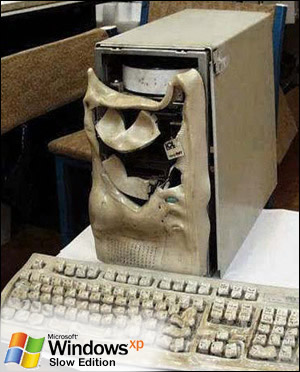
Slow windows based computer

Such a useful tool is developed by eBoostr and the trial version is available for free download. There is no expiration limit for trial version, but the catch is that you cannot use the tool for more than 4 hours continuously. If you want to use for more than 4 hours, you need a system restart. It is cool to use for any users who need a faster system without any extra investment.
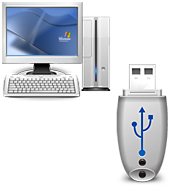
Use USB flash drive as RAMThe software is very handy in the sense that it is just 1MB to download. It supports Windows XP, Windows 2000 and Windows 2003 and is available in 36 languages. It requires USB 2.0 drive or memory card for operation and USB 1.1 is not supported as they tend to be very slow.

Download eBoostr

Image Credit

Subscribe to RSS Feed or Get updates on your inbox:

People who liked this also read:

21 Readers responded to this post

Your site is nice.

@venkat

Thank you Venkat… I checked yours, even that’s really nice… with cool windows tips…

I tried it but didn’t find it much useful.

@Madhur Kapoor

Oops, sorry man… I never tried it before as I don’t own a thumb drive…

Nice sharing. But,I think it is not that much useful, moreover it is costlier. Even in Vista, from my experience, didn’t see any improvement by using a flash drive as ram – jkwebtalks

@JK

I did not understand what you meant by costly… It is actually a free tool… But anyway, these pen drives can never be compared with normal RAM performance…

I tried it with my 8GB thumb drive. But I had seen much improvement in the speeds. I feel my 2GB RAM is enough for my applications. And moreover you cannot expect much speeds with a removable drive. I guess there would be some difference if you use it on a machine with 128/512MB RAM.

@Techno Samrat

You are right. One with a better RAM would not need such tools.

Yeah tried this tool long back. But made no wonders with my system speed. I didn’t notice any remarkable increase in the speed. Not satisfied with it’s performance.

And i have a 512RAM. May be this is useful for a 128mb RAM systems.. lollz :D

@Indya Labs

I wish the developers come to my blog and see the response here…

Pavan can you plz mail me the Registeration key for eboostr.

Hello pavan,how are you,well this is a type of relief for my types of users those who still uses winxp with 128mb Ram…am i right. Thank you very much for sharing with us.Anyway could you tell me what browser you use,and what operating system and what is the speed of your internet connection.

Have a great week to you and May God bless you.
Your friend-Vicky.punne4e

@punne4e

Oops, you are asking me more and more details… Let me mail them for you. Keep in touch :)

Great share. I got only 256mb. But have never tried this out yet. I’ve seen in the site that is it only a trial one and good only for 4 hours after system boot.

i need the full version. can you share for me?

I have windows XP, but I know I have used my flash drive as RAM before! I dont have any special add-ons relating to that or anything, just my crappy old dinosaur and a flash drive!

Fantastic i love it

smart
a pc with 512 Mbyte RAM go faster

but also a pc of my colleague that the pc uses very strongly (access, datawarehousing, excel, all together) with two Mbyte RAM caching in RAM some megs

put his pc in a new performarce socring

ciao

I am using the software for past 3 months..
It’s really nice..
Thanks

hey can u tel me how to use pendrive as ram dude

nice post frnd.. u can read the method to use USB pendrive as RAM @ windowdows 7 in this blog article http://jeshmal4u.blogspot.com/2009/11/usb-pendrive-alternative-for-ram-in.html

thnak you .its really nice.

1 Blog responses for this post
Leave Your Comments Below / Trackback

About The Author

    Pavan Kumar

    Pavan Kumar completed Engineering in Electronics and Communication in the year 2008. He is very enthusiastic and keen to work on different aspects of computer, internet and mobile related fields. The articles here reflect his creativity. This blog was started as a showcase of solutions for different problems and today it has got a good reputation in the blogosphere. Read More...

© 2010 - TechPavan.com. All rights reserved.

All content provided in this site are the property of TechPavan.com and is free for non-commercial usage. Read our Privacy Policy here.

Any kind content on this site cannot be reproduced in any form without permission of the author. We are not responsible for any loss or damage which may occur due to any of our content.

Site hosted on Bluehost powerful servers. Special thanks to Hyperwebenable for kind support
