
PC = Super Mobile | Mobile = Powerful Remote with floAt’s Mobile Agent
Written by Pavan Kumar on March 14, 2008
I started googling for a software to save sms onto my PC. I finally resulted with this software and downloaded that and this is the review of that software of my observations for some 2-3 hours. I personally recommend this software for everyone who use mobile and computer. The software is floAt’s Mobile Agent developed by Sourceforge.net.
To start with, this is a freeware. Installation is some 5 min process. To download, slightly bulky 14.2 mb. It consumes some 8 mb of RAM to run. This software converts your computer into a mobile phone which is more than a mobile phone.
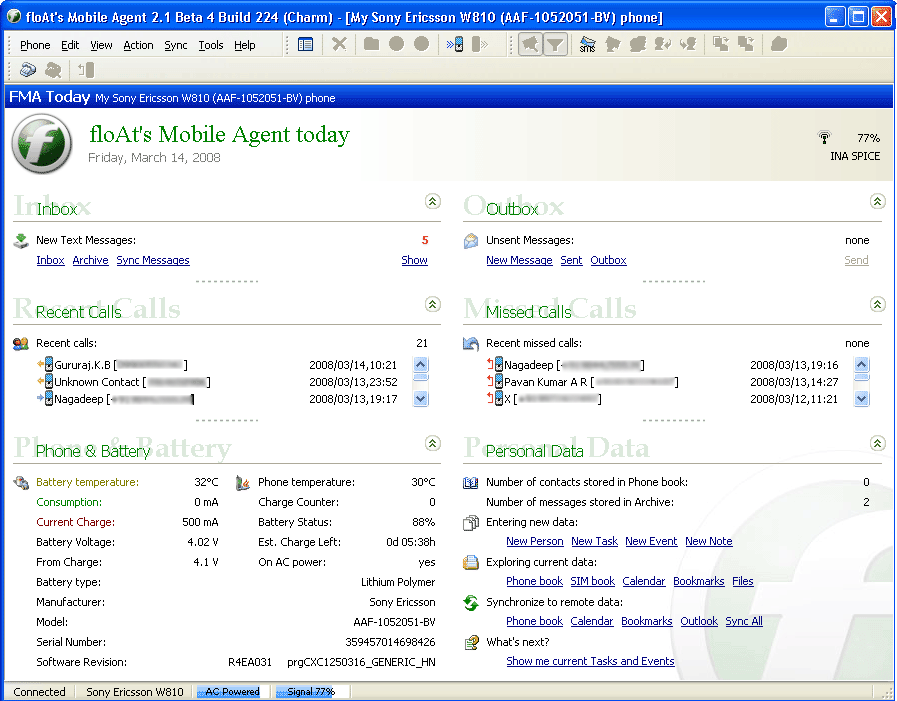
Coming to the usage, you need to synchronize your phone with the software by connecting with it. You will be provided with a screen like the one shown below:
Calls:
In detail, you will be provided with listing of recent calls and missed calls. By right clicking on any contact, you can call, sms, chat with that person. If you receive a call when connected to system, you can attend it on system itself. You can even initiate a call to any number/contact.

Messages:
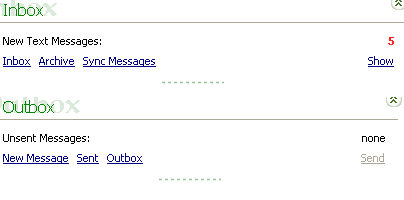
Coming on to message section, you will be presented with recent message count. You can view, forward,reply, delete, archive, save messages to PC. You can also create new messages and send to any number. When a message is received while on PC, a dialog will pop itself up showing the message as shown in the snap below. On that window also, you will have different options as said above. The highlight is that you can save messages (sms) into PC as a .csv (comma seperated value) file.

Phone Status:
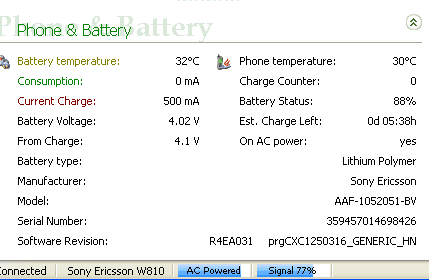
A more detailed status of phone and battery will be displayed on the home page(?) I don’t need to tell you much about that, this snap will tell you what all are available.
Network Status:
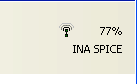 This software has a real time network monitoring capability. The availability of your network will be displayed in terms of percentage. As far as I know, no medium or low end phone will display that as percentage.
What about your mobile phone?
Your computer is now converted into a more powerful mobile phone, but will there be any changes on your mobile phone? Yes! Your mobile phone is no more a mobile phone till it stays synchronized with this software.
Your cell is now a remote controller to your PC. If I tell you the options available on your phone, you will be astonished.
Your phone will not be having its regular menu, the menu will be replaced by a Main Menu of this software. For your information, I am providing the main options available on your phone. Sorry that I could not take a snap of that.
- General options : includes – monitor off/on, lock windows, log off, hibernate, shutdown, reboot, cancel shutdown, disconnect/close FMS.
- Master volume
- Mouse+
- Winamp controls
- VLC player controls
- PowerDVD controls
and few more….
VLC and PowerDVD did not work for me, might be some problems with version. It displayed as PowerDVD -5, but for winamp, it worked.
I recommend to all who blog about this, to connect using Bluetooth and review as it may convert a mobile into a super remote control of your PC. My review is on USB using floAt’s Mobile Agent 2.1 beta 4 which you can download here.
Related Posts:
- Get orkut scraps on your mobile phone Part1- India
- Get orkut scraps on your mobile phone Part2- World
People who liked this also read:


I have used FMA on my SE phones. Do check out this post- http://www.nirmaltv.com/2007/06/05/top-freewares-to-connect-sony-ericsson-mobile-phone-to-pc/
Nirmal’s last blog post..Windows Live FolderShare Beta for PC to PC Sync