
How to make a completely hidden folder
Written by Pavan Kumar on February 20, 2008
Here, I am going to illustrate a method to completely hide a folder which you dont want to be displayed – not by using attributes, but a tricky method. It can be done without changing any attribute, without using any software, without adding/removing any files. Its a simple trick which can be done with normal windows and no extra installations and no hi fi tricks.
Locate to the folder which you dont want to be displayed.
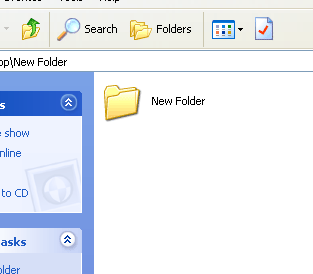
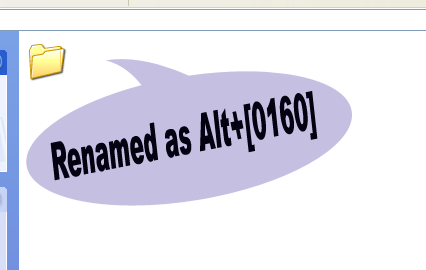
Next, rename the folder with Alt+[0160], I mean, press Alt key and without releasing, press 0160. Then you can notice that the name of the folder is gone and a simple space appears as the name of the folder, which cannot be displayed.
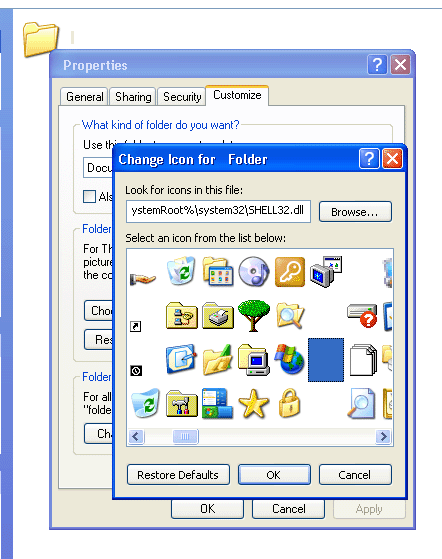
Proceed by changing the icon of the folder. This can be done with this procedure. Right click on the folder Properties> Customize> Change Icon. Here you can find few invisible icons, just use them to create your invisible folder.
That’s it! your invisible folder is ready….
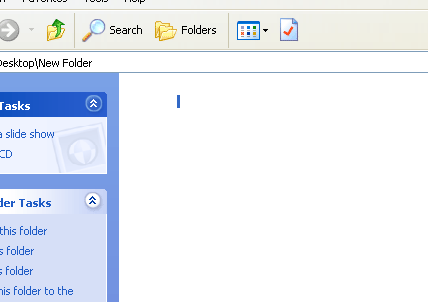
Here I have selected the folder, so you can identify that something exists there. If it is not selected, nothing can be found….Totally invisible folder is made.
If you like this post, you may subscribe to feed, post comments, add to technorati favorites, digg this, stumble this, share this.
Please respond with your comments.
People who liked this also read:



hi!!
do u know how to make a nameless folder??
regards,
kaushal
http://force-india-f1.blogspot.com